How to Identify and Fix Fake Traffic from China and Singapore in Google Analytics
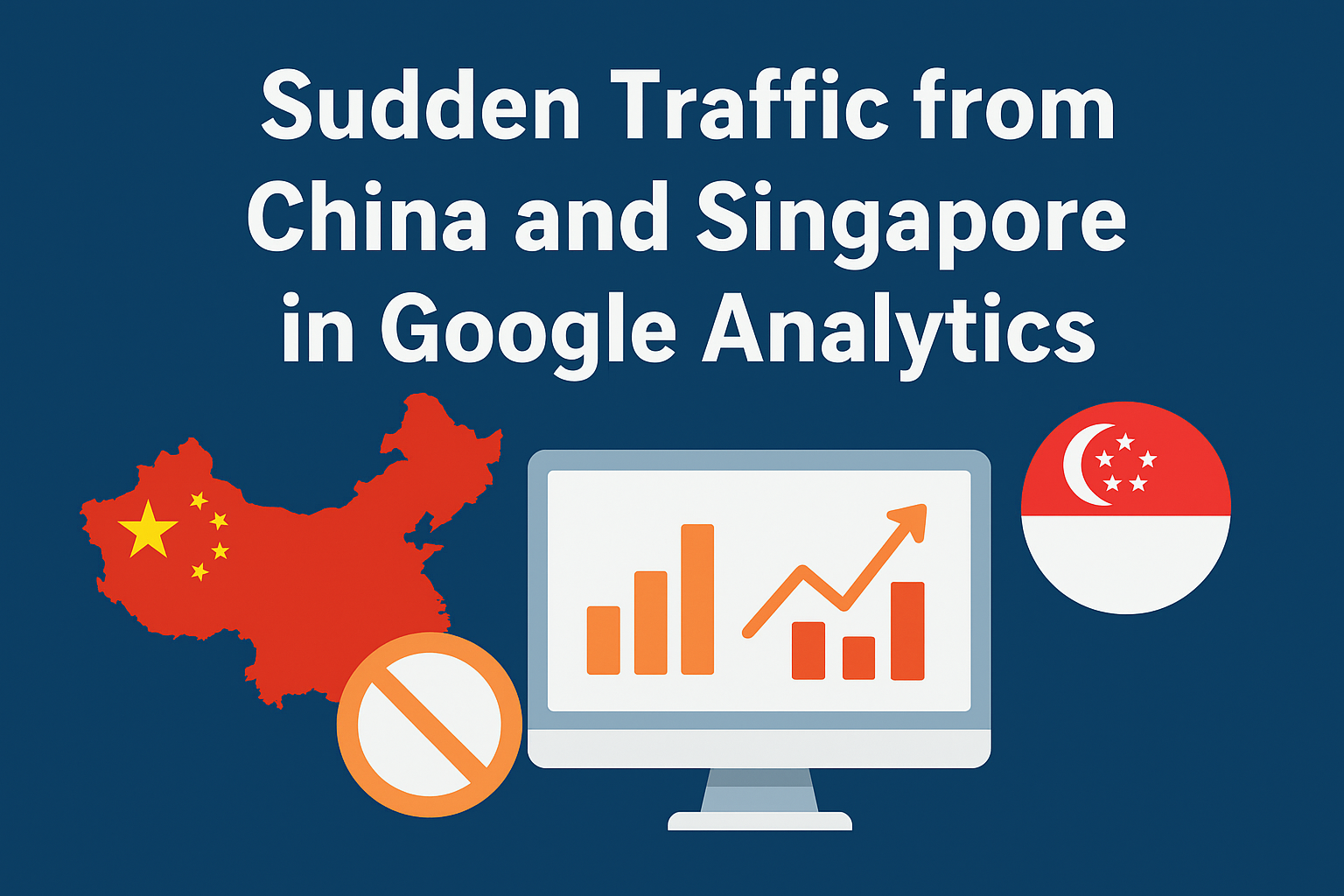
Many website owners have recently noticed sudden traffic spikes from China and Singapore in google analytics. these visits often appear as direct sessions with zero engagement and unusually high bounce rates. this sudden increase in meaningless data has become a global issue affecting multiple industries and analytics setups.
The cause behind this surge is mostly inauthentic or bot traffic that is bypassing Google’s built-in filters. analytics experts have confirmed that these fake visits are generated by automated systems rather than real human users. such bots imitate legitimate visits and inflate website data without performing any real actions.
Understanding why this traffic is appearing
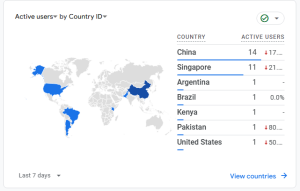
The recent increase started around October 2025 when analytics users began reporting huge jumps in traffic from Chinese and Singaporean Ip ranges. these sessions share common patterns such as extremely short session durations, zero events, and no meaningful interaction on site pages. Google’s internal teams have acknowledged the problem and are working on improved bot detection filters.
This wave of activity is linked to modern ai-driven scrapers that collect web data for machine learning models. since English-based websites make up most online content, they are often targeted first. these scrapers are not malicious in the hacking sense, but they disrupt tracking accuracy and analytics reports across many platforms.
Identifying the signs of fake traffic
Fake traffic usually follows a very specific pattern that makes it easier to identify once you know what to look for. it typically appears under direct traffic sources with session durations below ten seconds and bounce rates close to one hundred percent. these sessions often originate from older devices, outdated browsers, or locations like Lanzhou in China and Singapore city.
You might also notice that the fake traffic doesn’t show up in server logs or Cloud flare analytics, even though it appears in ga4. this happens because many of these bots are sending hits directly to your google analytics tracking id without ever visiting your actual website. this process creates what’s known as ghost traffic, which only exists in your analytics data.
Why this issue matters for marketers
Unauthentic sessions can distort website metrics and make performance reports unreliable. when bounce rates increase and session durations drop, it becomes difficult to evaluate real engagement or conversion performance. this problem can also make it harder to measure the success of paid campaigns or organic growth trends.
For agencies managing multiple clients, this fake data can create confusion during monthly reporting. clients may believe their traffic has increased, while in reality, their engagement quality has dropped due to bot interference. having clean data is essential for making accurate marketing and budget decisions.
How to confirm the problem in ga4
To verify whether your analytics traffic is being affected, start by checking your audience reports by country. if you notice a large percentage of sessions from China or Singapore with almost no engagement, that is a strong sign of bot activity. look for session durations of less than ten seconds and repeated page views with no secondary interactions.
Next, compare your analytics data with server logs or firewall traffic reports. if the visits do not appear on your hosting logs, then those sessions are fake and exist only within analytics. this cross-verification helps you confirm whether it’s real user behavior or automated tracking noise.
Step-by-step solutions to clean your analytics data
- Create a segment in explore
The quickest way to view accurate data is by creating a custom segment inside ga4’s explore section. filter sessions where the country equals China or Singapore and the session duration is less than ten seconds. apply this segment to all your exploration reports to remove bot-influenced sessions from your analysis.
- Apply traffic filters in ga4
Go to the admin area of your google analytics account and navigate to data settings. create a data filter that excludes suspicious traffic patterns such as fake referrers or abnormal technical profiles. validate these filters first to ensure they are not removing any legitimate visitors before activating them permanently.
- Block bots through hosting or firewall
If you are using Cloudflare, set up security rules under the security section to block or challenge traffic from China and Singapore. this can be done using country-based restrictions or by blocking known as numbers such as 13220 and 132203 associated with TenCent networks. if you use Apache hosting, you can also update your . hatches file with Ip blocks to prevent unwanted requests.
- Monitor and update your rules
After implementing filters and firewall rules, keep monitoring your analytics data for new patterns. bot networks evolve quickly, and sometimes traffic shifts to other regions like Brazil or Argentina. reviewing traffic sources monthly ensures that your site remains protected and your analytics stay accurate.
- Use captcha and rate limiting tools
For websites frequently targeted by bots, adding human verification layers can help. tools like Cloudflare turnstile or simple JavaScript challenges can limit automated requests. these checks prevent bots from triggering analytics tags and protect high-risk pages from unwanted hits.
Addressing ghost traffic that bypasses your site
Some bot traffic never reaches your website at all and instead sends fake requests straight to Google’s measurement protocol. to handle this, you can create server-side tracking setups that validate hits before they reach analytics. another option is to implement client id validation through google tag manager and reject events that fail verification.
Marketers can also use hostname filters to ensure only legitimate domains send data to their analytics property. this step helps avoid data contamination caused by direct tracking pings or cloned tracking ids from other websites.
Will it affect your seo performance?
Fortunately, this problem does not have a direct impact on your search rankings. Google’s search algorithm does not rely on your analytics metrics for seo evaluations. however, inaccurate traffic data can lead you to make wrong marketing decisions, such as changing strategy based on misleading numbers.
Some users worry that high bounce rates might send negative quality signals, but analytics data is not connected to search ranking algorithms. the main risk is losing visibility into your true audience behavior and campaign results.
When to expect a permanent fix
Google’s product experts have confirmed that the issue has already been escalated to internal engineering teams. they are developing a long-term spam detection system to better identify and filter inauthentic traffic. although self-identifying bots are already excluded, these newer types of traffic are more advanced and require updated detection methods.
Until that fix rolls out, website owners are encouraged to use the manual workarounds explained above. these actions won’t stop bots from pinging your analytics account entirely, but they will help keep your reports clean and usable.
Keeping your analytics environment healthy
Monitor your analytics data regularly and look out for sudden changes in geographic distribution or engagement patterns. when you notice irregularities, investigate them immediately instead of waiting for trends to form. early detection makes it easier to maintain clean and reliable reporting across all marketing channels.
Consider setting up monthly audits where you compare analytics data with search console and server statistics. this helps confirm that your performance metrics are aligned across platforms and not inflated by spam or ghost sessions. maintaining clean analytics should be an ongoing process, not a one-time fix.
Conclusion
The surge in traffic from China and Singapore is a result of a global wave of ai-driven bots and scrapers. while this traffic might seem harmless at first, it can damage your ability to measure genuine website performance. understanding the cause and applying structured filtering and blocking solutions can restore accuracy in your analytics data.
by using filters, segments, firewalls, and captcha tools, you can minimize bot interference until google implements stronger automatic protections. regular monitoring, validation, and awareness are the best defenses against future data pollution. keeping your analytics clean means keeping your marketing strategy clear and informed.